Live demo

Run a regulated program in a sample company

Meridian Precision is our sample manufacturer, with three regions, six sites, customers, templates and projects at every stage. Anyone can open it: pick one of the sample roles and sign in with one click. No form, no card, no install.
  • Shared with other visitors
  • Resets every week
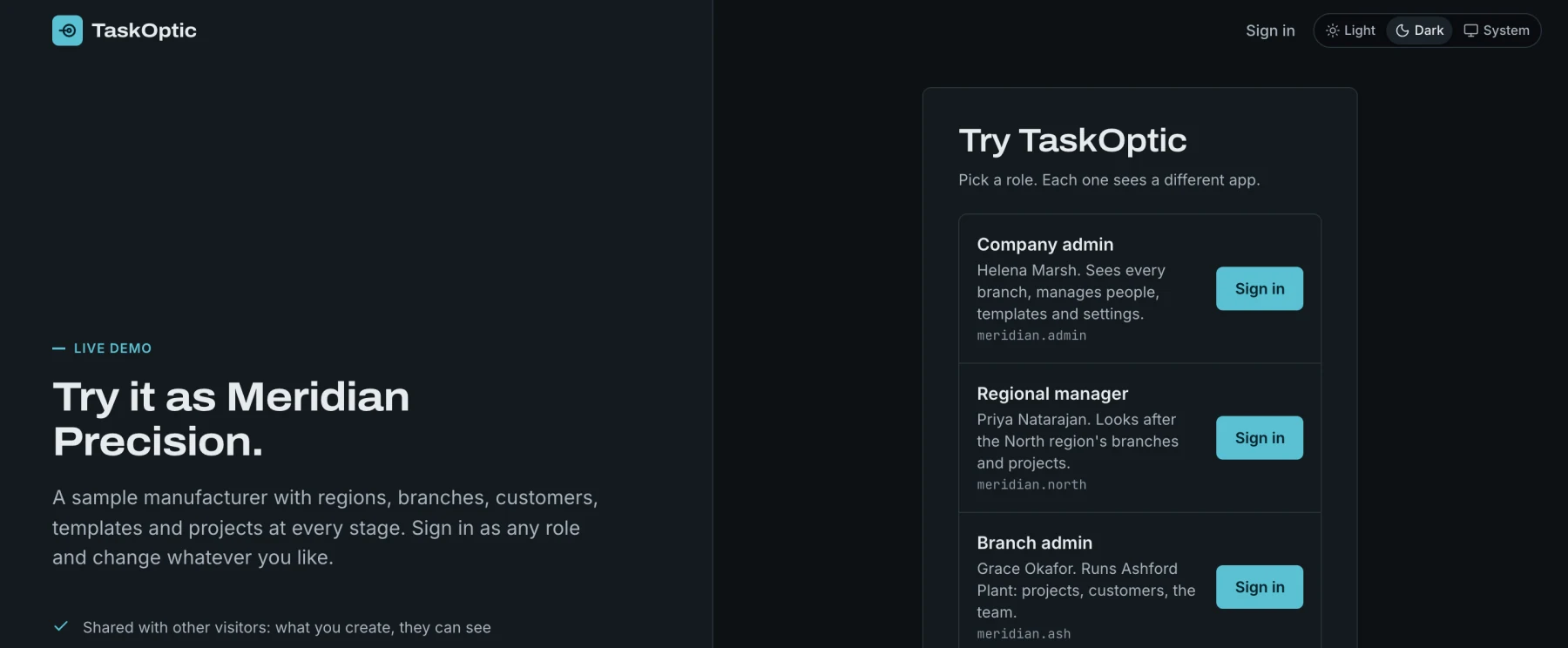
The sandbox sign-in page: Try it as Meridian Precision, with a list of sample roles, each with a Sign in button.

1This is the page the button opens: choose a role, select Sign in.

What's inside

What you will find

  • Projects at every stage, including a phase gate that is ready for review.
  • Templates with phases, gates and lead times, plus the Standard Template Library and the template assistant to try.
  • A corrective action in progress, an 8D record with its stages and sections.
  • Owners per discipline and progress by discipline on each project.
  • AI assistants on templates, corrective actions and projects, proposing changes for you to apply.
  • The developer portal with the API reference, MCP and the MES Connector API kit. Demo API keys expire within 24 hours.
  • The audit trail, recording what you and other visitors do.

Sign in as

Choose who you want to be

Sample accounts are ready, each showing a different part of the product. The sign-in buttons live on the sandbox page.

Company admin

Sets the standard, structure and document control for the whole company.

Regional manager

Sees and works across every site in a region.

Branch admin

Runs a site's projects and approves its templates.

Engineer

Drafts templates and does the work on assigned steps.

Signing needs an authenticator code. In the sandbox, the code is shown on screen (“Use demo code”), so you can sign a gate or approve a template yourself.

Before you start

  • The sample data is shared with other visitors. Do not enter anything confidential.
  • The sandbox resets every Sunday at 02:00 UTC. Anything you create is removed then.
  • The MES connection runs against built-in samples. The AI assistants send what you ask, with the sample data it concerns, to the AI provider, so use only the sample data.
  • Shared accounts cannot change their password or sign-in settings.

Want to see it with your own process?

We can walk through your NPI, APQP or validation process with you and set up a private evaluation.